AI photo-to-video for places
Your photos.Now moving.
Drop the photos you already have. Reel it finds the strongest moments, builds a business-aware story and turns it into a video made to be published.
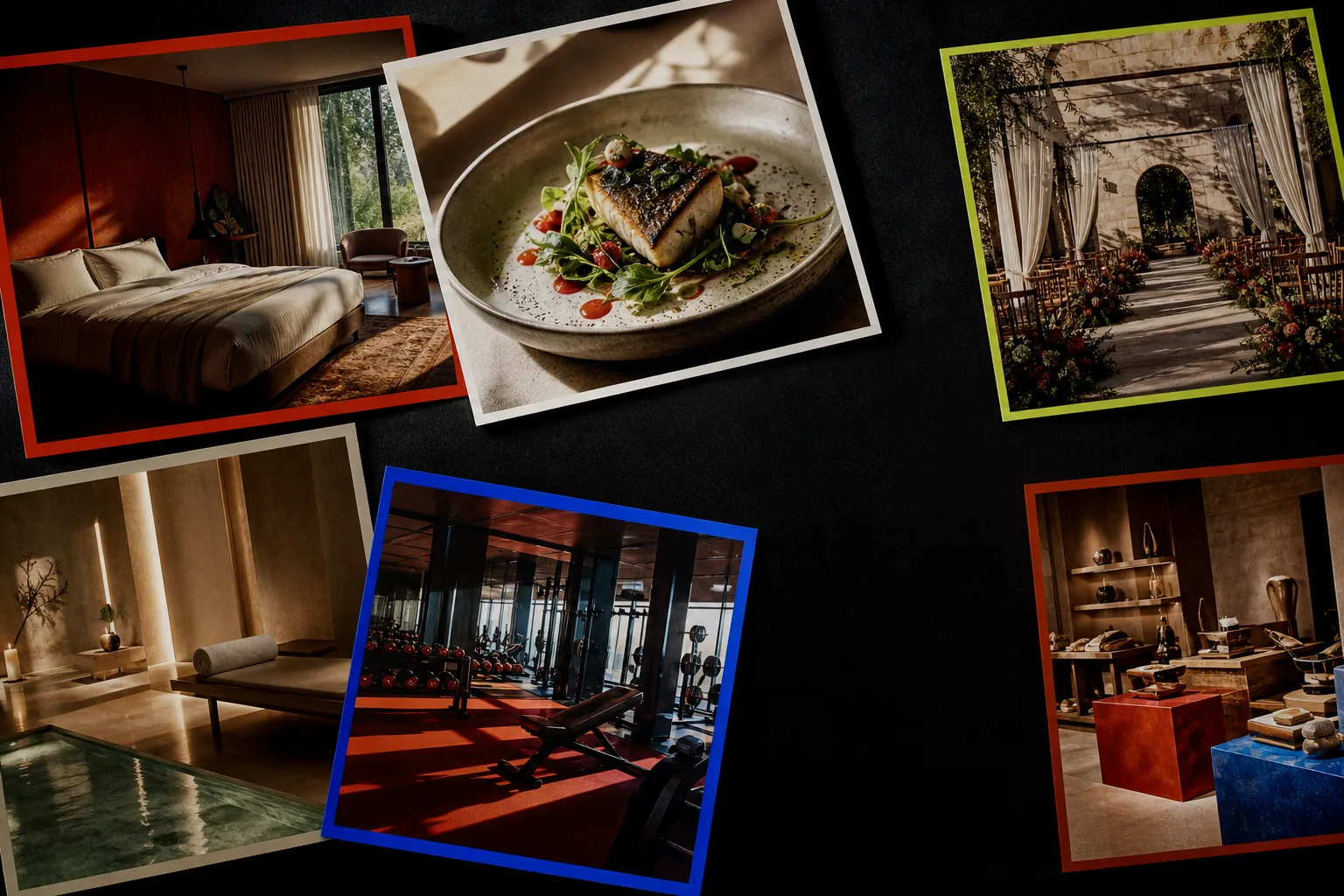
Not another editor
A finished business video, not a blank canvas.
Reel it starts with your existing photos and the outcome you need. Its AI editor understands the difference between a restaurant opening, a hotel stay and an event enquiry—then makes the editorial decisions for you.
See the processThree moves
From folder to finished reel.
Drop the lot
Upload 1–25 photos from your phone or desktop. We check every image and suggest the strongest order.
Shape the cut
Confirm your industry, choose portrait or landscape and mark menus or information cards to stay perfectly still.
Direct with AI
Your AI Designer helps with the title, visual system, music, narration and final export. No timeline required.
Stories with context
Tourism stories. Industry outcomes.
Airbnb and vacation stays need an arrival. Restaurants need appetite. Venues need possibility. Reel it changes the story, pace and CTA for each business.
Reels should move
A moving preview belongs in the story.
These animated placeholders show where approved customer reels will play. They are clearly labeled until real source-to-result examples are available.
Arrival, comfort and a booking action in one compact reel.
Food detail, atmosphere and reservation intent in motion.
A visual path from arrival to an event enquiry.
Airbnb video maker
Turn Airbnb listing photos into a booking reel.
Airbnb hosts already have the raw material: exterior, room, view and amenity photos. Reel it sequences those approved listing images into a short arrival-to-booking story without inventing space or facilities.
Create an Airbnb reelReal estate video maker
Turn listing photos into an honest property reel.
Reel it is for simple sale or long-term-rent stories from real listing photos. Complex agency work, staging and a full listing workspace live on AIXpose.
Improved, not invented
Your place stays your place.
Better exposure, cleaner pacing and believable motion should make reality easier to feel—not manufacture a room, dish, facility or claim that does not exist.
- Architecture and room geometry stay intact
- Ingredients, plating and product identity are preserved
- Faces, hands, signs and logos are handled conservatively
The invisible edit
The craft happens behind the upload.
Selects the strongest shots
Builds a distinct sequence from your accepted photos instead of repeating the same visual.
Adds believable motion
Uses restrained movement and keeps menus, prices or fragile frames static when that is the better edit.
Designs around your brand
Creates typography, color, title cards and calls to action that remain editable in the AI conversation.
Finishes with sound
Adds music and optional narration, timed to the reel rather than pasted over it.
More than a slideshow
Motion, design and voice—directed as one video.
Reel it does not apply a flat zoom to every photo. It creates spatial image-to-video shots, builds a custom graphic system around the story and can add editable narration and music to the same timeline.
Spatial AI image-to-video motion
The motion engine generates new, temporally coherent video frames from the source photo. Camera direction can create a restrained dolly, pan, arc or parallax feeling while protecting the real place. It is generative spatial motion—not a claimed 3D scan or reconstructed volumetric model.
A video design made around the content
The AI Designer authors the typography, title treatment, color, overlays, transitions, logo behavior and pacing as a reusable visual system. Copy stays editable and separate from the design.
Editable multilingual voiceover
Choose a voice, refine the full spoken script and balance narration against music. Voiceover is optional, starts only after agreement and costs credits only when generation succeeds.
We call this spatial AI image-to-video motion. “Volumetric 3D” would imply a measured 3D reconstruction, which is not what the image-to-video model creates.
Start before you pay
18 credits. Your first story is already moving.
Every new Reel it studio starts with 18 credits. Generation is charged only when it succeeds. Reel it PAYG credits cost €0.80 each; choose 480p or 720p motion, then add music or narration only when you want it.
- Three animated-photo slots before purchase
- No generation charge on failure
- Up to twenty animated photos after payment
Straight answers
Before you drop.
How many photos can I use?+
Use between 1 and 25 photos. A varied set with wide views, close details and a clear hero image gives the AI editor more to work with.
Do I need video-editing experience?+
No. You arrange photos, choose 9:16 or 16:9 and talk to the AI Designer. There is no timeline or blank canvas.
Will Reel it change what is in my photos?+
Reel it is designed to preserve the real room, dish, product, facility, people and signage. Motion stays conservative, and information-heavy images can remain static.
How do credits work?+
A new guest studio starts with 18 credits. Each successful animated photo costs 3 credits at 480p, 6 at 720p or 12 at 1080p; regeneration costs 2, 4 or 8. Music and narration each cost 3 credits when successful. One Reel it PAYG credit is €0.80.
Which video formats can I make?+
Choose portrait 9:16 for Reels and TikTok or landscape 16:9 for websites, listings and presentations. The final Designer offers matching export presets.
Are my photos public?+
No. Uploads are private by default and are used to make your project. You must have the rights to the images you upload.
Your raw material is ready
Stop scrolling. Drop your photos.
Drop them here. Your private studio opens on the first photo.